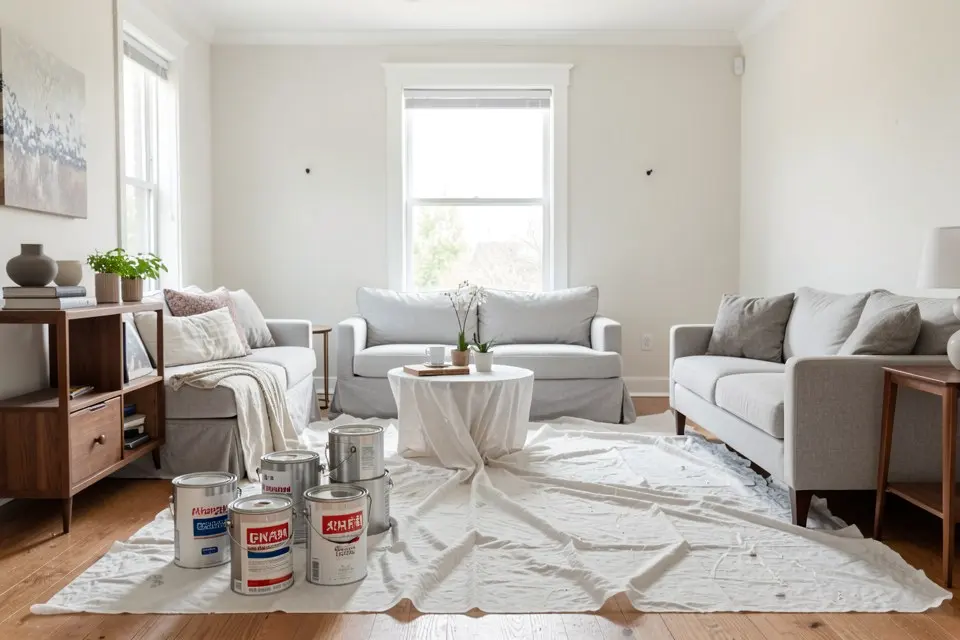
RoomGPT is a quick way to restyle a room photo. You upload a picture, pick one of nine room types and a style theme, and get the same room back redesigned. You pay with one-time credit packs. The common reasons to look for an alternative are a free allowance, virtual staging of empty rooms, exteriors, or a shopping list and cost estimate alongside the picture. Each alternative below fixes one or more of those, and none fixes all of them for free.
Prices and allowances were taken from each tool’s own pricing page in October 2026. They change often, so check before paying.
What RoomGPT does, for reference
- Input: one room photo. Room types are Living Room, Dining Room, Bedroom, Bathroom, Office, Kitchen, Basement, Outdoor Patio and Gaming Room.
- Styles: nine themes (Modern, Coastal, Vintage, Industrial, Neoclassic, Tropical and others). You can combine them.
- Price: credit packs, not a subscription. 30 credits cost $9, 100 cost $19 and 200 cost $29. A Basic render costs 1 credit, Pro costs 2 and Ultra costs 4. At the 200-credit pack that works out to about $0.15 per Basic image and $0.58 per Ultra image.
- Not included: empty-room staging, facade redesign, object removal, a product list, a paint palette or a cost estimate.
For an occasional user this is genuinely good value: no renewal to forget, and credits are bought only when you need them. The case for switching is about features, not price.
The five alternatives at a glance
| Tool | Best for | Free tier | Paid from | Staging | Exteriors |
|---|---|---|---|---|---|
| Homie | Restyle plus palette, shopping list and cost | 2 designs/day, 6 in total | $3.99/week, $8.99/month, $49.99/year | Yes | Yes, 8 styles |
| Interior AI | Heavy users, many modes | None listed | $29/month billed yearly ($349) | Premium plan | Yes |
| REimagineHome | Real-estate staging in batches | 5 designs | $14/month | Yes | Check plan |
| Collov AI | Cheapest staging per image | Watermarked trial | ~$16–19/month for 60 images | Yes | Check plan |
| Homestyler | Real dimensions and 3D plans | Unlimited 1K renders | $6.80/month | AI Stager, by credit | Via 3D model |
These tools are not interchangeable. A photo restyler shows you what your room could look like. A 3D planner tells you whether a sofa fits. The three categories of AI room design apps explain why choosing the category comes before choosing the app.
Alternative by alternative
Homie: restyle plus the next three steps
Homie works from a photo like RoomGPT does and keeps the walls, windows and camera angle. It adds the steps that come after the picture. Each Pro result can carry a shoppable furniture list, a paint palette pulled from the render and a rough renovation cost estimate. Beyond Room Redesign there are separate tools for virtual staging, style transfer, exterior redesign, colour palettes, object removal, text-to-room and upscaling. There are 16 interior styles plus mood and budget filters.
- Free: 2 designs a day, up to 6 in total, then Pro.
- Pro: $3.99/week, $8.99/month or $49.99/year, with 6 designs a day and 12 before/after reveal videos a month.
- Where it is weaker than RoomGPT: bursts. Pro is capped at 6 designs a day, so rendering 100 rooms in one weekend is not possible. RoomGPT’s credits have no daily limit.
Choose it if the picture is the start of a project, not the end of one.
Interior AI: the most modes, priced for professionals
Interior AI has the widest menu. It has two interior modes (one keeps the structure, one changes it more freely), virtual staging, freestyle generation with no photo, sketch-to-render, SketchUp-to-render, outdoor design and style transfer. It lists 55+ styles. Editing, staging, upscaling and walkthrough videos sit on the higher plans.
- Free: none listed on its pricing page.
- Paid: Pro at $49/month, or $29/month billed $349 yearly, with 1,000 designs a month. Premium is $99/month and Ultra is $199/month.
Choose it if you render rooms for clients every week. For one home, it costs several times more than you need to spend.
REimagineHome: staging for listings
REimagineHome is aimed at estate agents. It offers conversational editing, real product matching, reference photos and batch processing for a whole listing. Credits pay for processing: a design costs 1 credit, a design with real product placement costs 2, and chatting costs nothing.
- Free: 5 designs, no card required.
- Paid: $14–$99/month, from 30 credits (Essential) up to 900 (Agency).
Choose it if you stage several listings a month. The virtual staging cost guide shows where DIY AI staging beats paying a service per photo, and where it does not.
Collov AI: low cost per staged image
Collov is the budget staging option. Reviews in 2026 put the entry plan at roughly $16–19 a month for 60 images, about $0.27–$0.32 each, with larger plans cheaper per image. The trial output is watermarked. Collov does not publish a clear pricing table, so confirm the current rate on sign-up.
Choose it if you need a high volume of empty rooms furnished and care more about cost than style range.
Homestyler: when the question has a number in it
Homestyler is a different kind of tool. It is a cloud 3D floor planner with a large free catalogue of models, plus AI features (AI Stager, AI Render, AI Planner) that are paid for with credits. The free Basic plan includes unlimited 1K renders. Pro+ starts at $6.80 a month with 180 AI credits.
Choose it if you need to know whether a 220 cm sofa leaves room to walk past, or you need a plan to hand to a fitter. Expect 20–60 minutes of drawing before the first render.
Which one to pick
- You render a few rooms a year and only want the picture: stay on RoomGPT. Pay-as-you-go is the cheapest honest option.
- You are redecorating your own home and want to buy from the result: Homie, then shop the look from the render and test the paint palette it pulls out.
- You are an agent staging listings every week: REimagineHome for quality, or Collov for cost.
- You design for clients: Interior AI’s mode range justifies its price.
- You are buying big furniture or planning built-ins: Homestyler first for fit, then a photo tool for colour and finish.
Whichever tool you try, the input matters more than the model. A level, wide, daylight photo gets a usable result from any of them. The photo checklist for AI room redesign takes five minutes. It is also worth reading what AI interior design can and cannot do before you trust any render for measurements.
For a feature-by-feature comparison of the two, see Homie vs RoomGPT.
 Homie
Homie