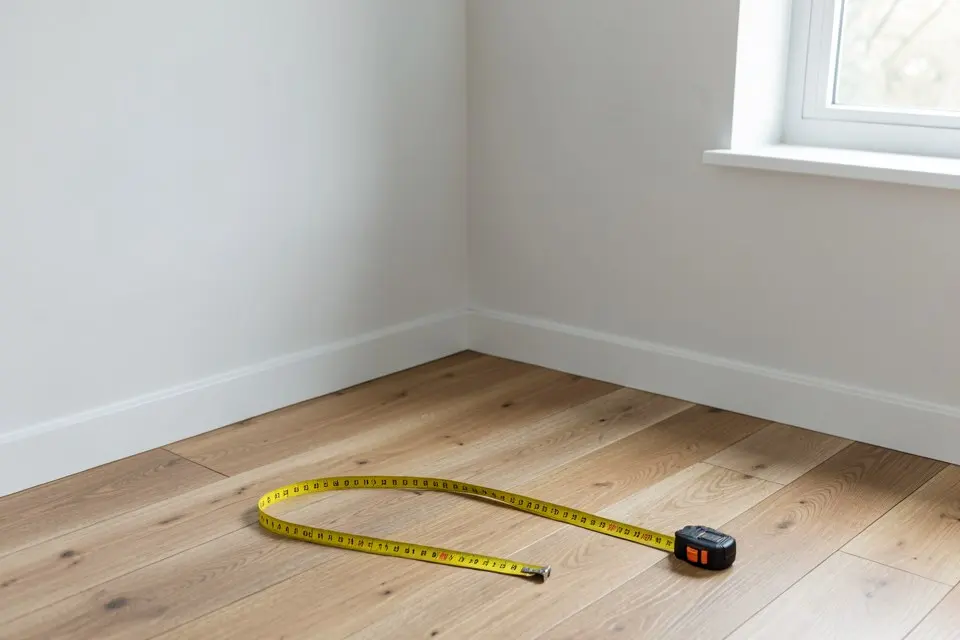
A before-and-after room video starts from a single photo. You photograph the room as it is, generate the new version of that exact frame, and the video moves from one to the other: the old sofa dissolves, the walls change colour, the empty floor fills with furniture. It’s the format that does well on Reels and TikTok, and it’s the fastest way to show a buyer what an empty room could be.
Until recently that needed a real renovation and two shoots from the same tripod spot. With an AI redesign as the “after”, you can make one in a few minutes from the photo on your phone.
What you need
- One photo of the room, taken straight on, in daylight, with the lights on. The video model re-frames everything to a 3:2 landscape master, so shoot in landscape and keep important things away from the edges. How to take photos for AI room redesign covers height, lens and light.
- A clear “after”. The reveal only works when the change is obvious from across a phone screen: a new colour scheme, a staged empty room, a full style change. A slightly different cushion won’t read.
- Homie Pro for the video itself. Generating the designs works on the free plan; reveal and listing videos are a Pro feature with 12 videos a month.
Step by step
- Clear the frame. Clutter in the “before” reads as mess, not as character. Tidy up, or remove what you can’t move with object removal — the guide to removing clutter from photos explains what it handles well.
- Generate the “after”. Run the photo through Room Redesign for a new style, Virtual Staging for an empty room, or Exterior Redesign for a facade. Generate two or three versions and keep the one with the biggest visible change that still keeps the room’s walls and windows.
- Create the reveal. Open the design and choose Reveal video, or go to the video studio and pick the design there. The render runs on the server, so you can leave the page; it usually takes a few minutes.
- Download both formats. Every video comes as 16:9 landscape (1280 × 720, for listing sites and YouTube) and 9:16 vertical (720 × 1280, for Reels, TikTok and Stories).
What the video looks like
| Part | Length | What happens |
|---|---|---|
| Before | 0.5 s | The original photo, so viewers register the starting point |
| Transition | 5 s | AI-generated camera move from the original into the new design |
| After | 1.5 s | Hold on the finished design |
| End card | 1.5 s | Closing frame |
A listing video strings up to 8 scenes together — reveals, slow push-ins on real photos, and an end card with the address, bedrooms, bathrooms, area and price. Only the AI-generated scenes use a video credit; a slow pan over a photo you already have does not.
Making it perform on social
- Lead with the worst “before”. The emptier or darker the original, the stronger the reveal. Empty rooms and dated kitchens beat already-nice rooms every time.
- One room per clip for Reels and TikTok; save multi-room sequences for the listing video.
- Say what changed in the caption — colour names, the style, an approximate budget. Viewers ask “how much?” first; what a room redesign actually costs gives you a realistic number to quote.
- Post the vertical file natively. Don’t crop the landscape version; the 9:16 file is composed for phones.
Using it to sell or rent a property
For agents and sellers, the reveal is a staging tool with motion. An empty living room that fills with furniture in five seconds explains the space better than a floor plan. Keep it honest: the disclosure label (“AI visualization” on redesigns, “Virtually staged” on staging) is burned into the video and can’t be removed, the listing text should say the same, and the real photos belong in the gallery too. Virtual staging for real estate covers the disclosure rules, and listing photo tips for sellers the shots worth making a video from. For the staging step itself, see how to virtually stage a room.
Common mistakes
- Shooting in portrait. The model works in landscape; a portrait photo gets re-framed and loses the ceiling or floor.
- An “after” that changes the architecture. If the AI moved a window, the reveal looks like a different room. Regenerate rather than use it.
- Too subtle a change. If you have to point out the difference, pick a bolder design.
Start with a room you already want to change: how to redesign any room helps you choose the “after” worth filming.
 Homie
Homie